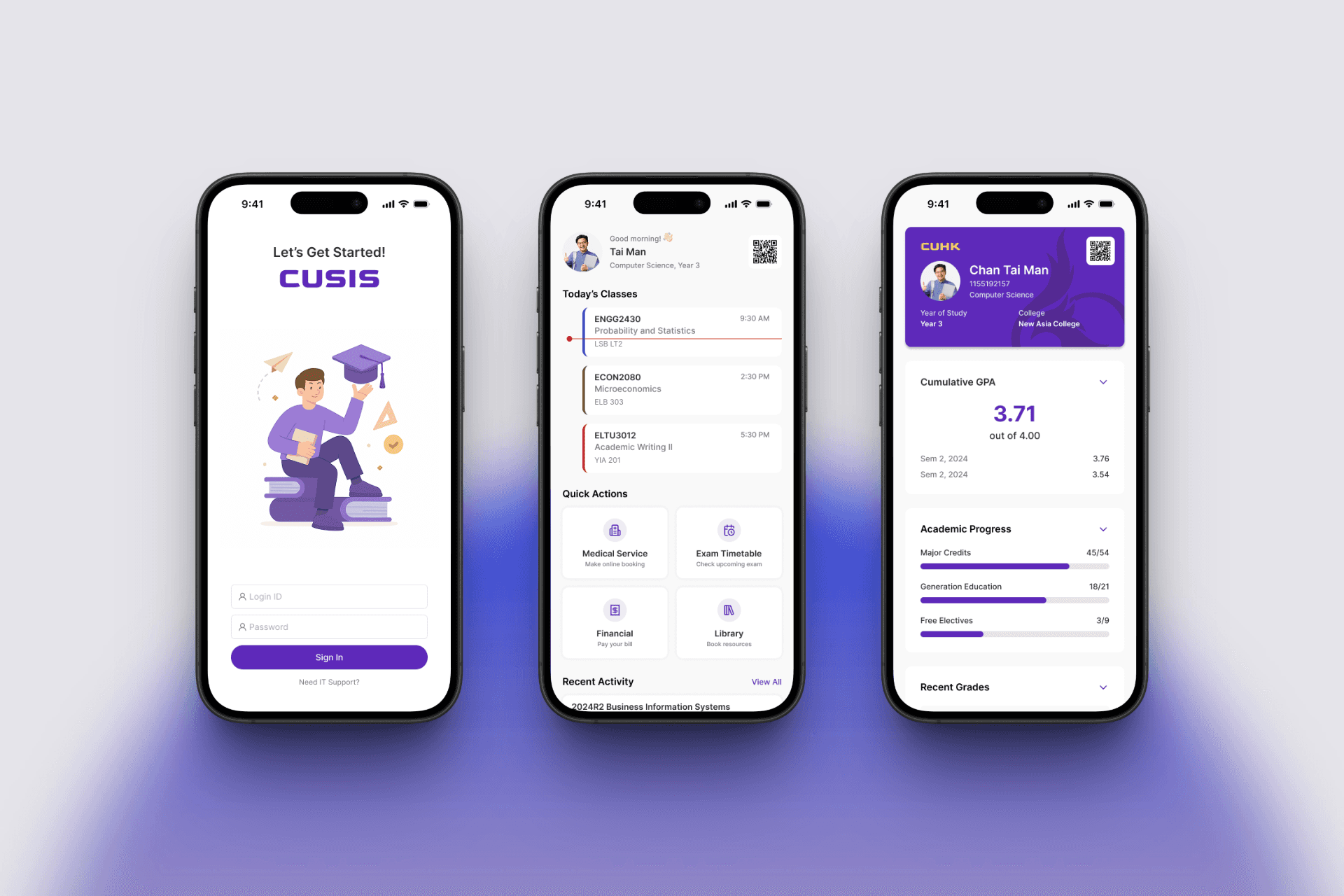
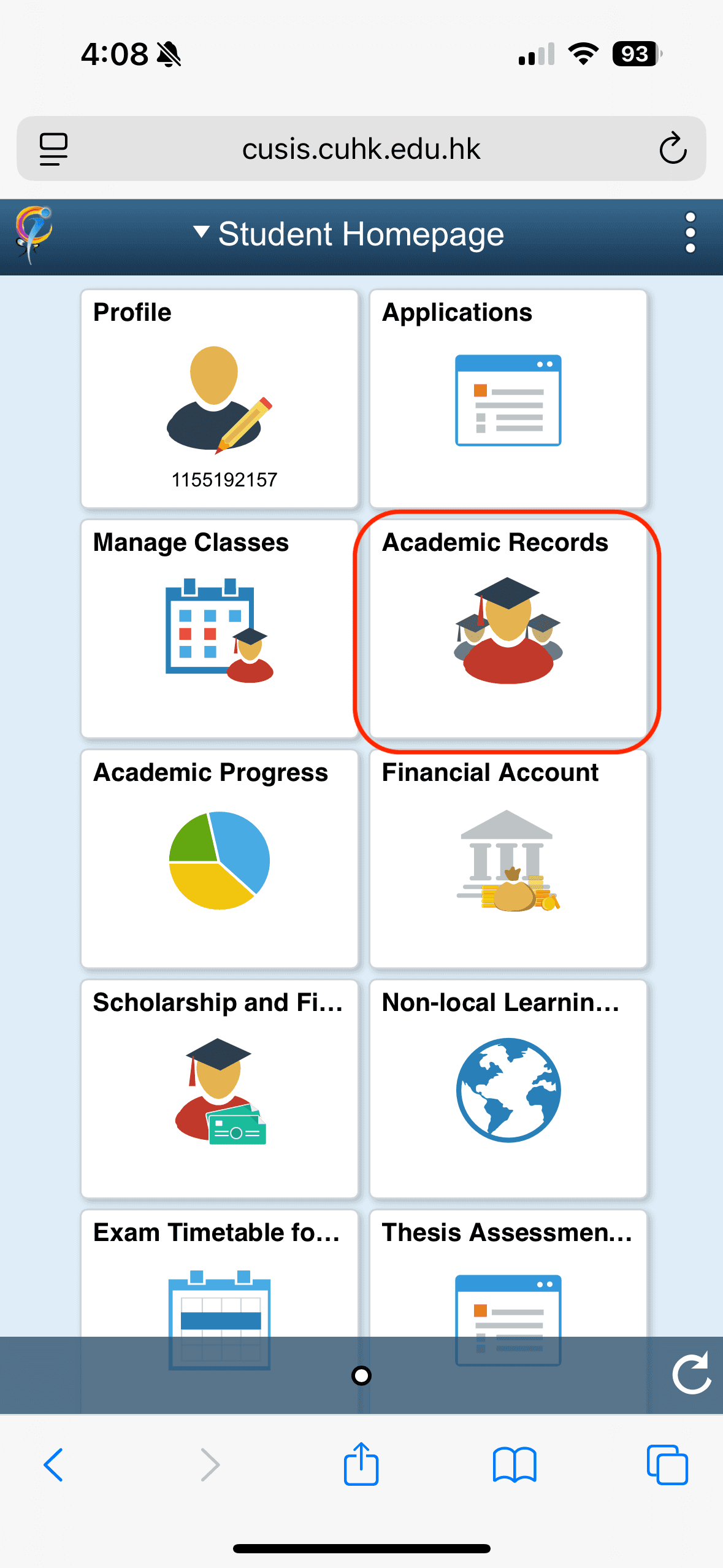
CUSIS (Chinese University Student Information System) is CUHK’s official platform for students to manage academic tasks such as course enrollment, timetable viewing, and accessing grades. While functional, it is primarily built for desktop and lacks a user-friendly mobile experience.
Before starting this project, I conducted 5 user interviews and gathered 52 survey responses to understand students’ frustrations with the existing CUSIS platform.
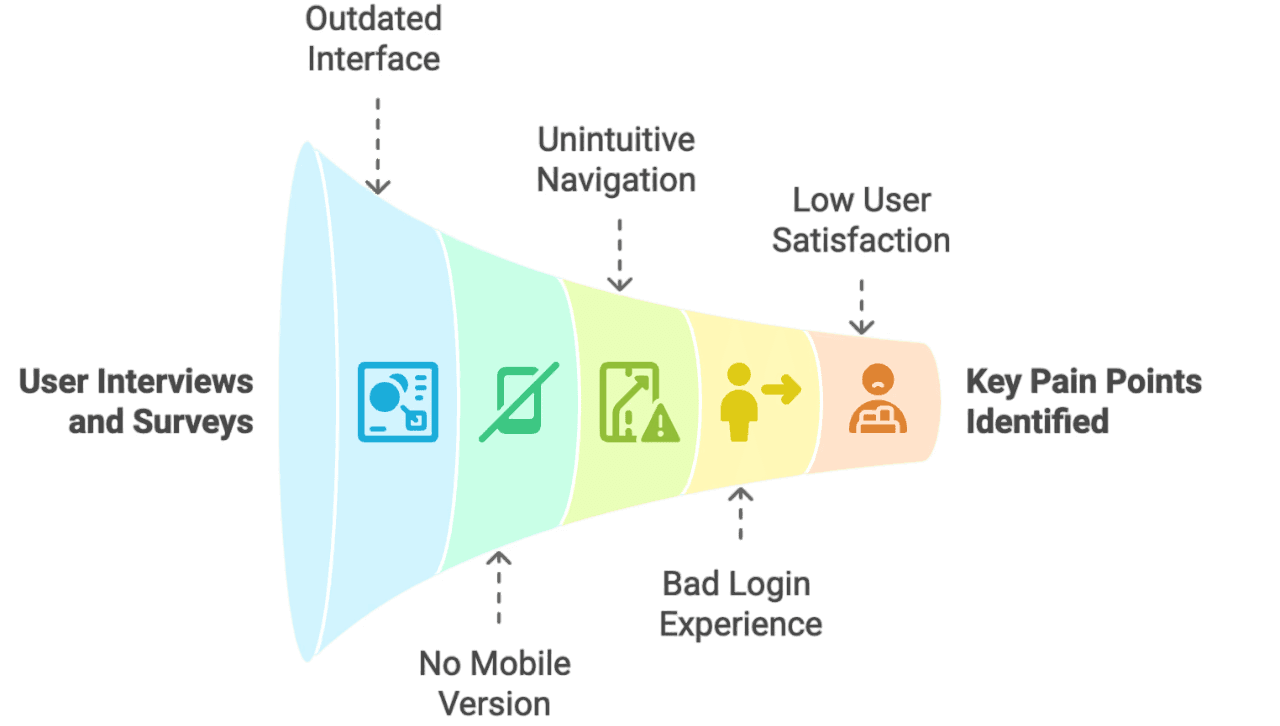
The key pain points identified were:
Outdated UI with poor visual hierarchy
No mobile version — the platform is not optimized for phones
Unintuitive navigation and cluttered user flow
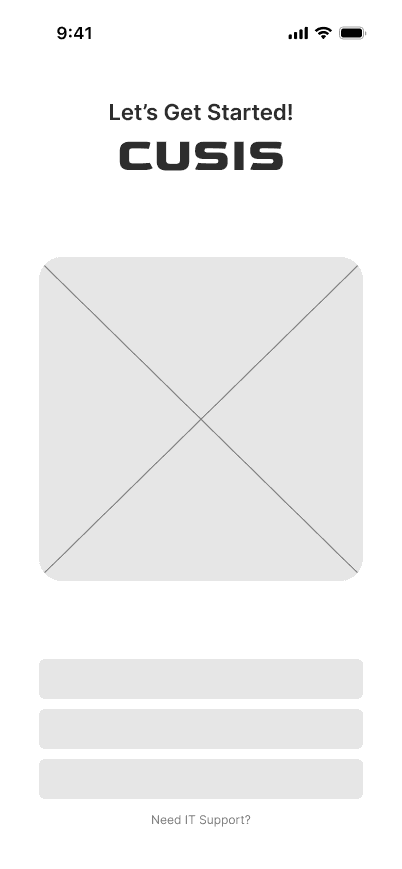
Cumbersome login process, requiring multiple steps daily
Low user satisfaction score — only 35/100 on the SUS scale
Goal
Rather than replacing the entire CUSIS platform, the goal of this product was to redesign the experience by focusing on the most frequently used features, as identified through the survey.
The result is a mobile-first app that delivers a clean, modern UI and a streamlined, student-friendly experience.
The redesigned app focuses on improving:
Administrative tasks like academic status tracking
Course enrollment
Timetable management
Academic records access
This redesign aims to reduce friction, enhance accessibility on mobile devices, and boost overall student satisfaction.
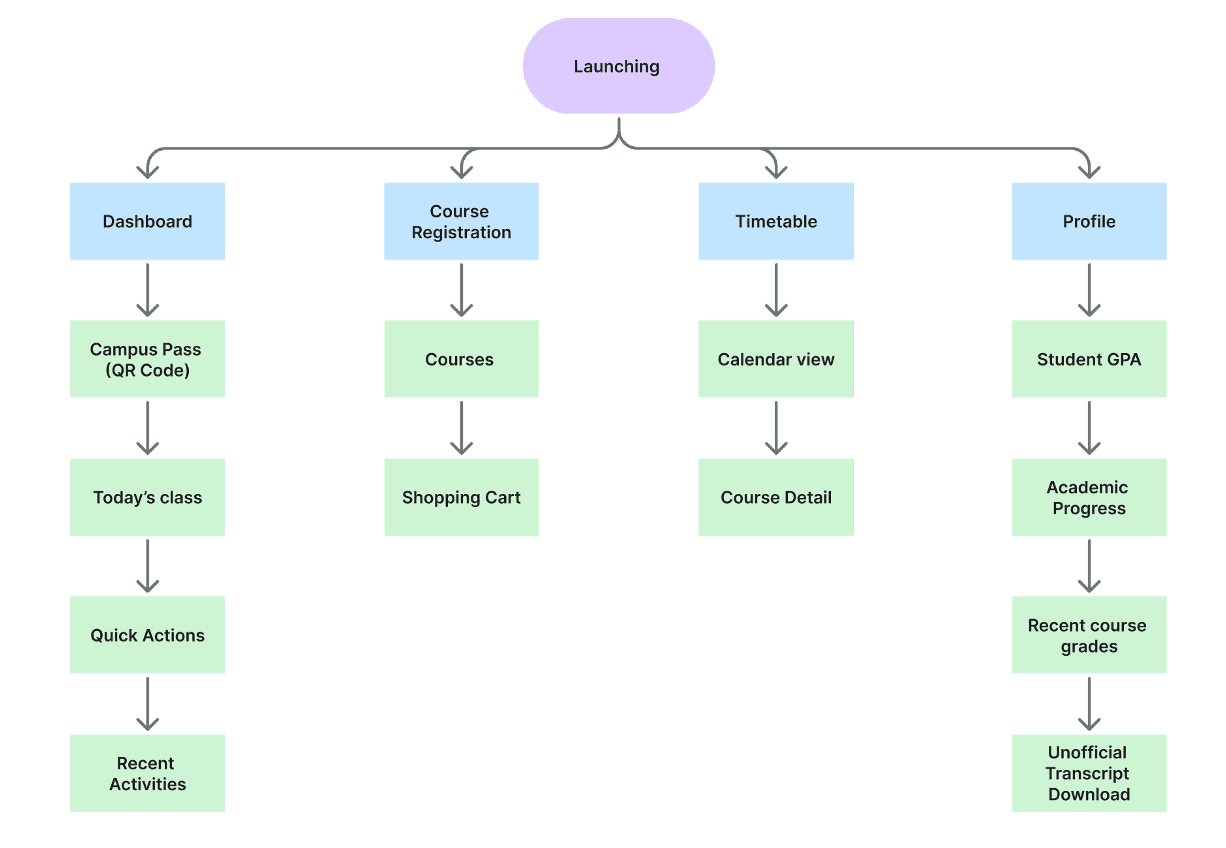
Information architecture
Wireframe
User Journey
The redesigned CUSIS mobile app reimagines key student workflows by offering a centralized, mobile-first experience. It focuses on accessibility, efficiency, and clarity, addressing major usability gaps in the original web-based system.
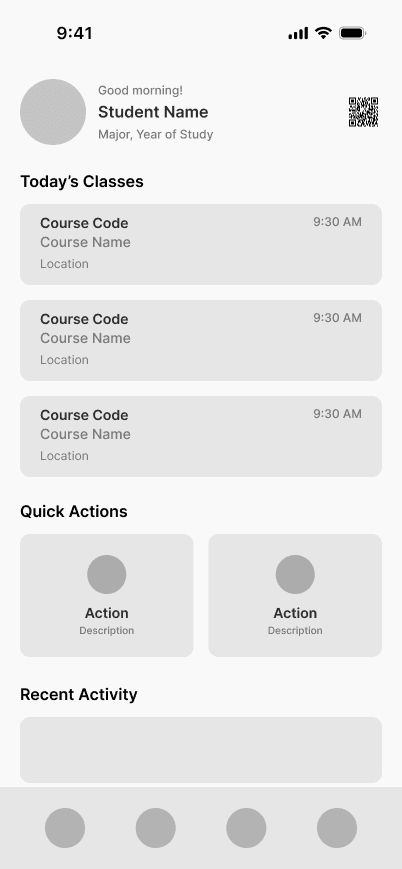
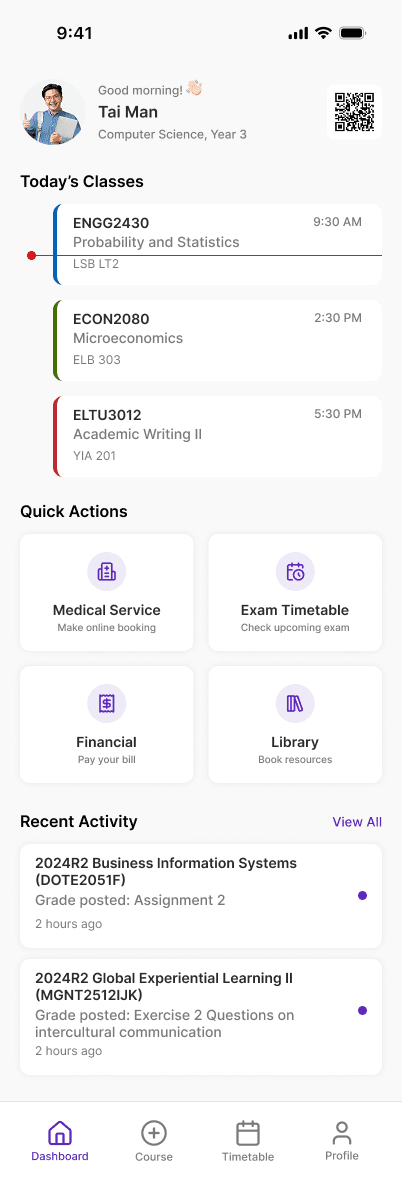
It serves as the central hub, surfacing the most relevant, real-time academic and campus information at a glance. Resolving a common pain point reported by 70% of survey respondents: having to visit multiple platforms just to complete routine tasks.
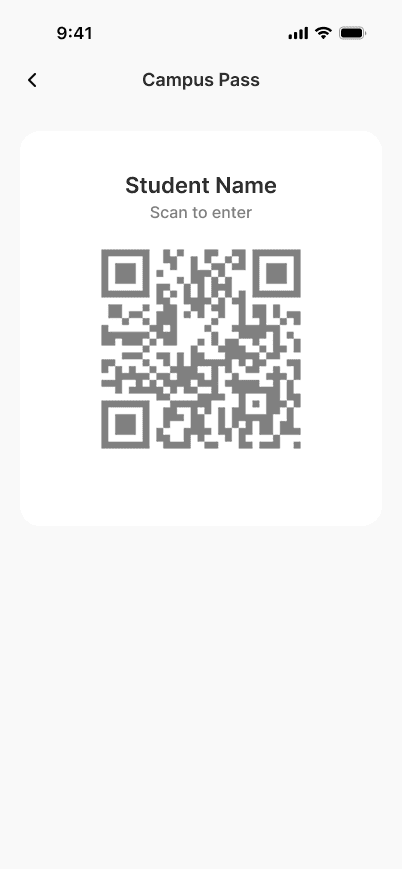
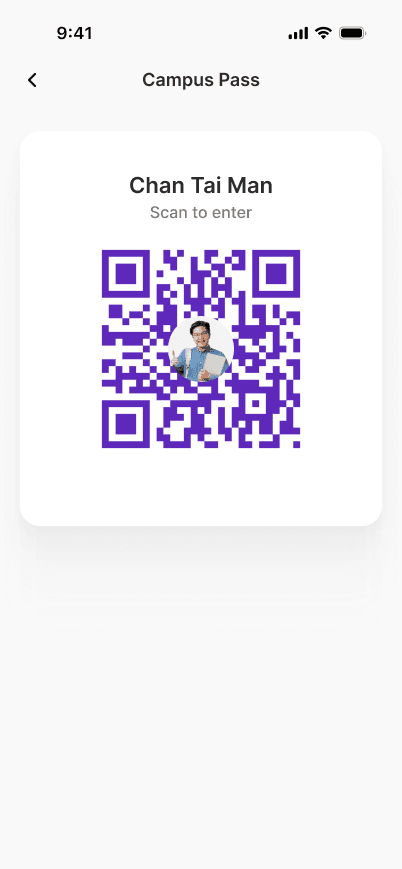
Campus Pass:
Enables QR code-based campus entry — solving a major friction point reported by students.
Saves up to 5 minutes per entry for students who forget their physical ID.
Today’s Classes:
Displays upcoming classes with real-time indicators. Enables students to quickly scan and prepare for their next session.
Quick Actions for Campus Services:
Direct access to essential tools. Replaces the need to navigate across 4–5 different websites to an All-in-One mobile app page, streamlining the student workflow.
Recent Activity Feed:
Shows recent grade releases, enrollment updates, and admin announcements. Unread badge indicator ensures no important updates are missed.
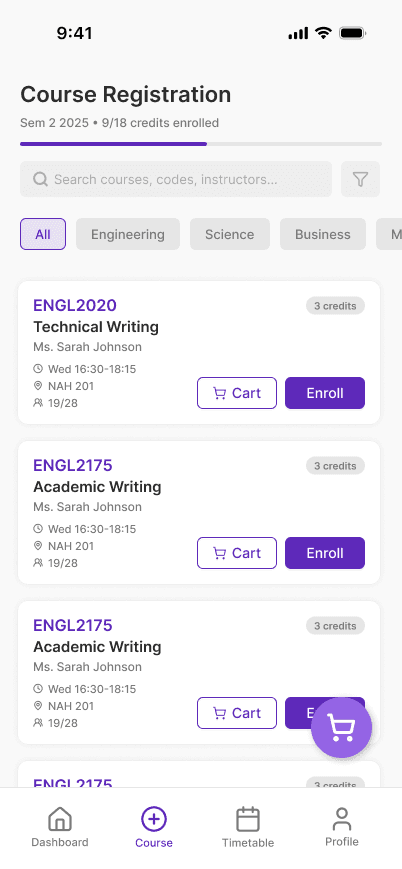
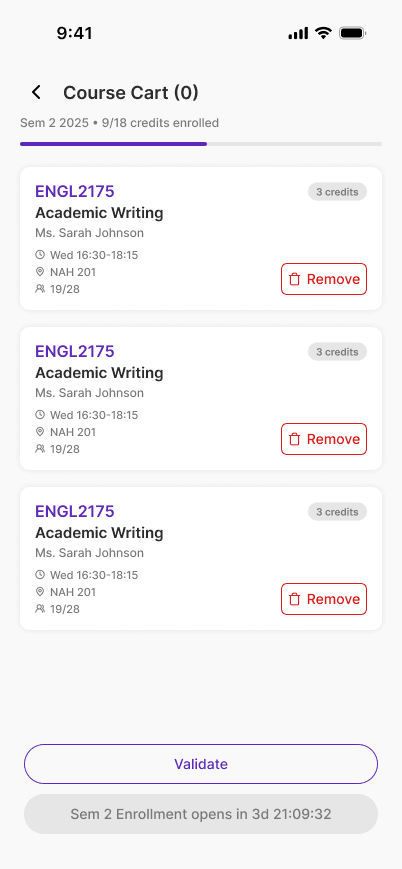
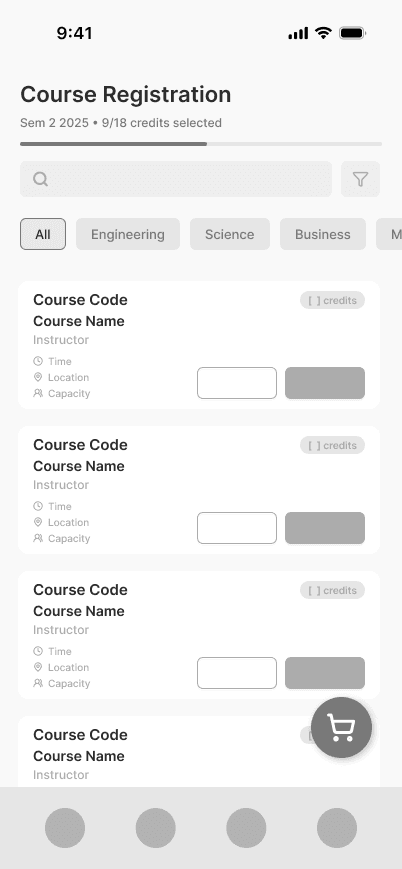
Course Registration
A critical journey for students, redesigned to be time-sensitive, conflict-aware, and visually intuitive. Average time to complete course selection dropped from 6 minutes to under 3 minutes
Enrollment Progress Bar:
Gives students a clear view of how many credits remain will reach the maximum limit per semester.
Reduces confusion and increases completion rates by up to 30% based on usability testing.
Enrollment Countdown Timer:
A real-time countdown to the course enrollment start time, helping students prepare to register the moment it opens.
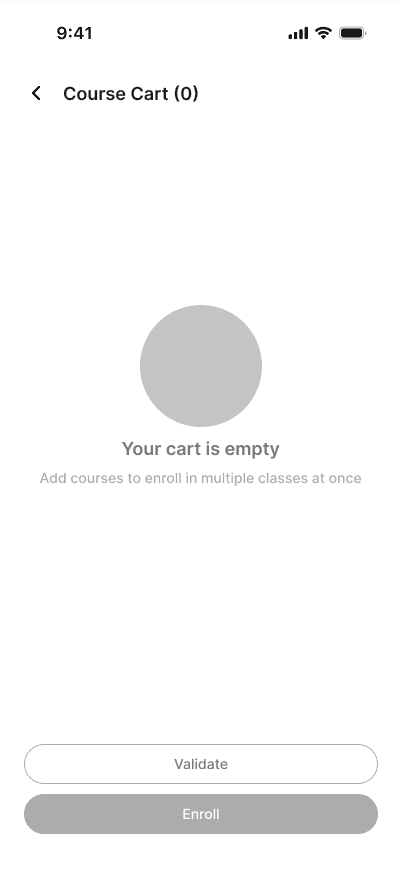
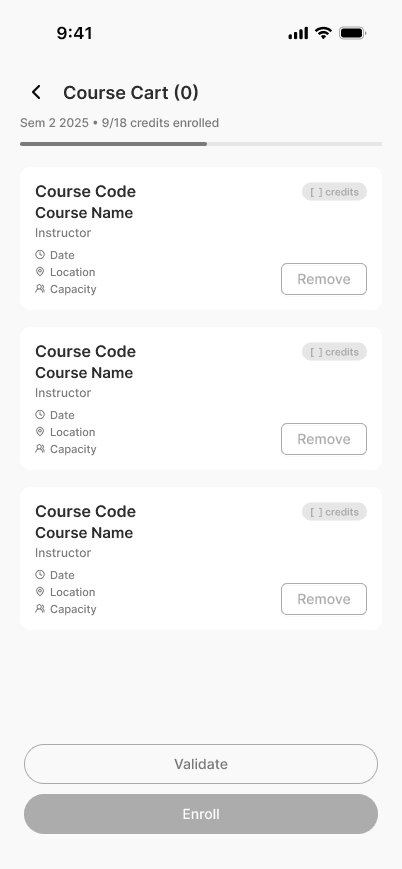
“Validate” Button:
Instantly checks for time clashes, quota limits, and prerequisite issues before submission.
Prevents common registration errors and improves first-try success rate.
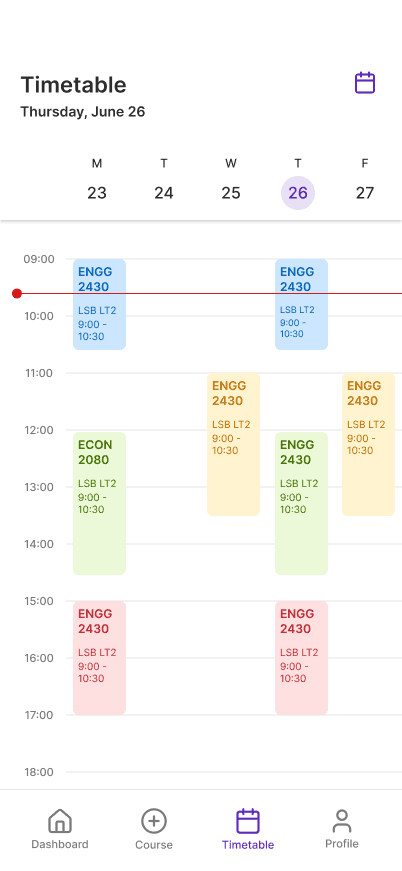
Timetable
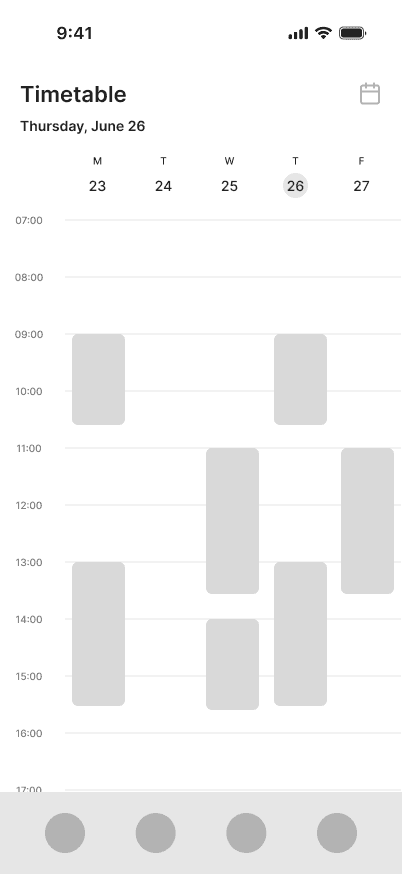
Transforms the traditionally static academic schedule into a dynamic, interactive weekly planner.
Color Tags for Classes:
Each course is assigned a unique color, improving readability 80% and recognition across the week. Tap each blocks to view more detailed information.
Weekly View + Horizontal Scroll:
View one week at a time with intuitive horizontal scrolling for future/past weeks.
Calendar Picker:
Lets students jump to a specific academic week instead of swiping endlessly — ideal for checking exam periods or holiday weeks.
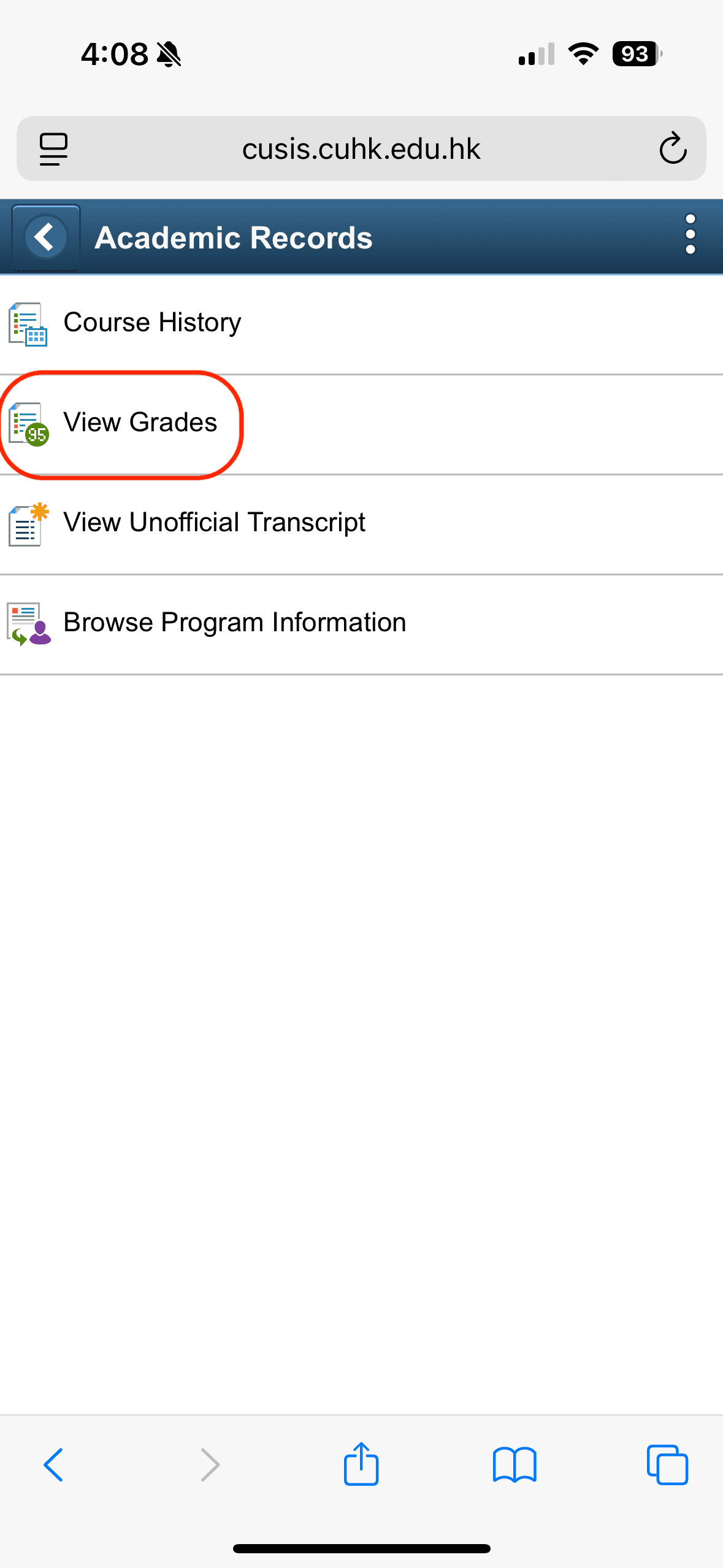
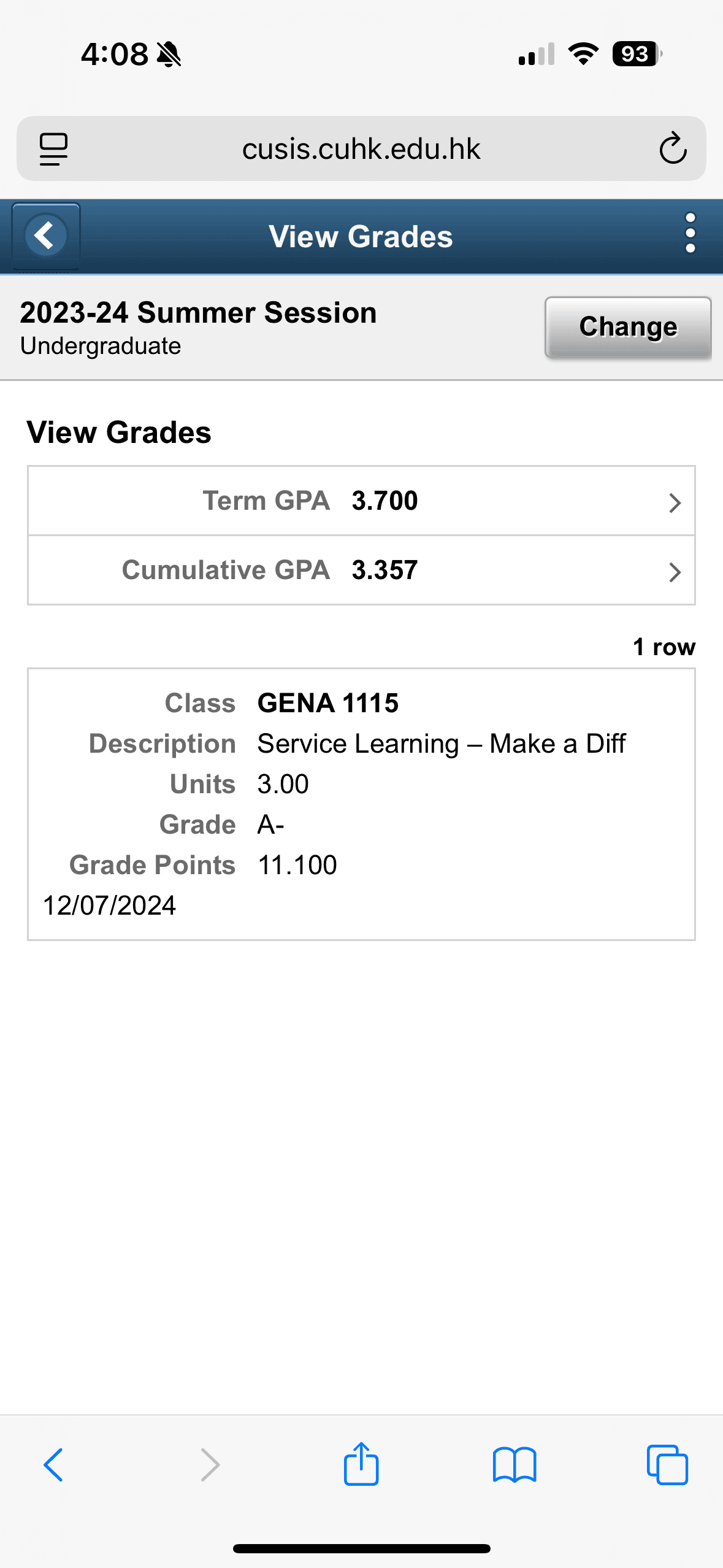
View Grades
1
2
3
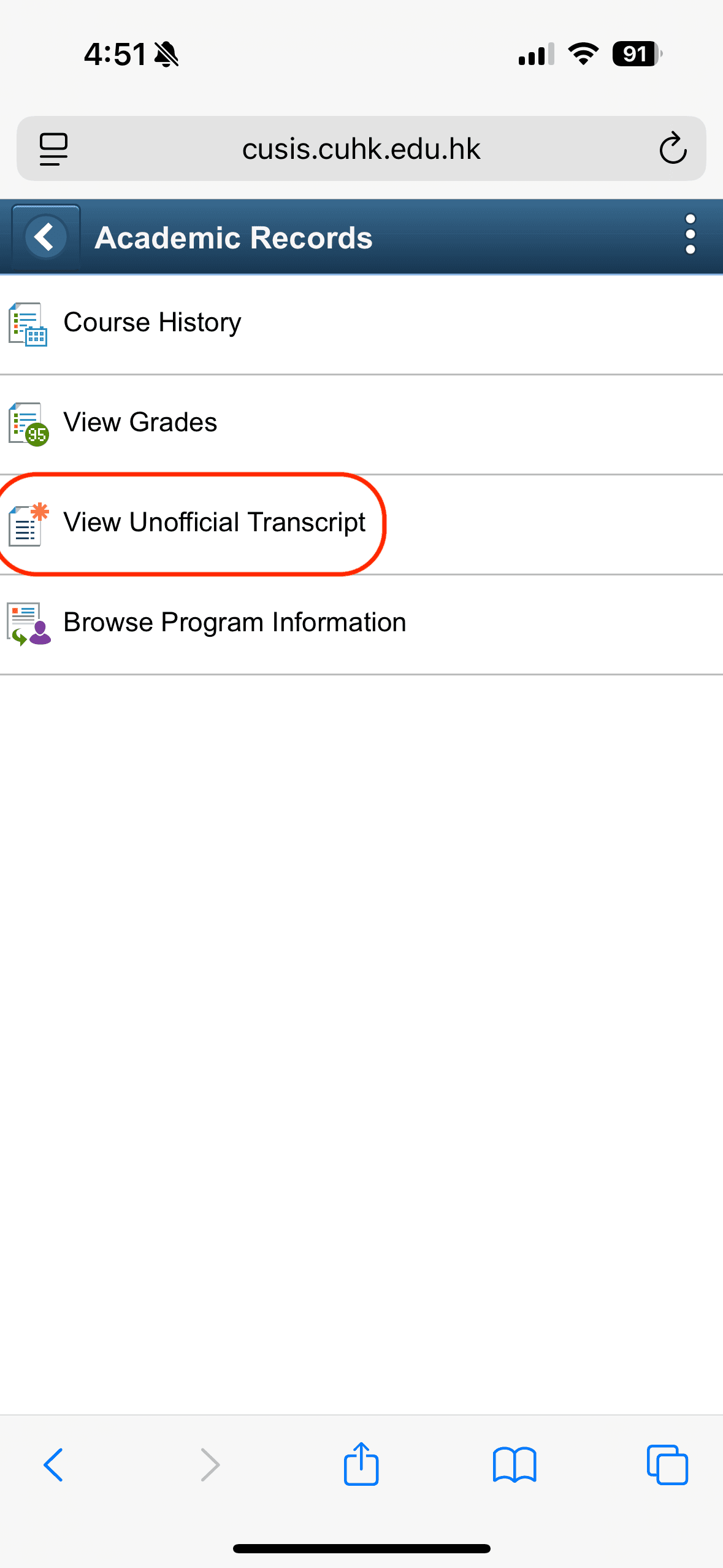
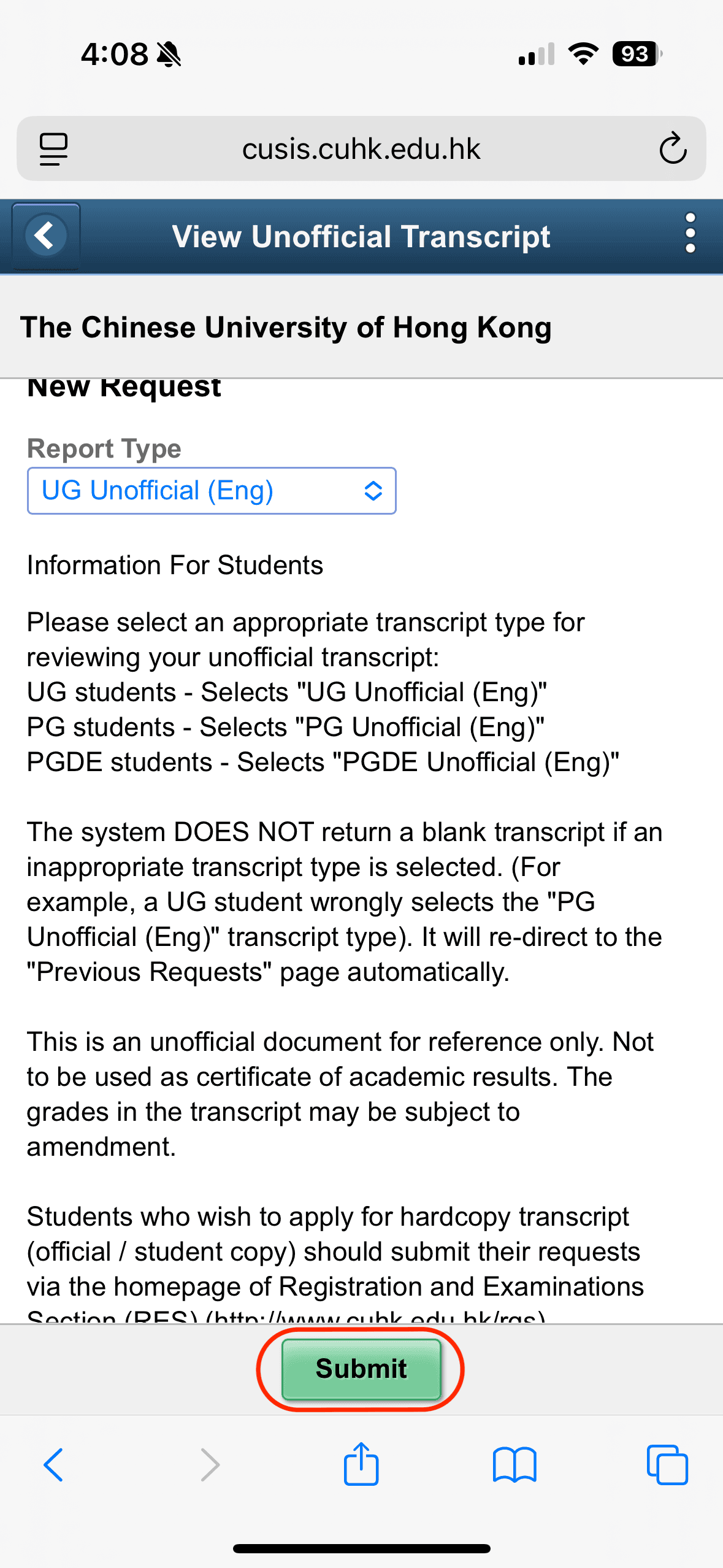
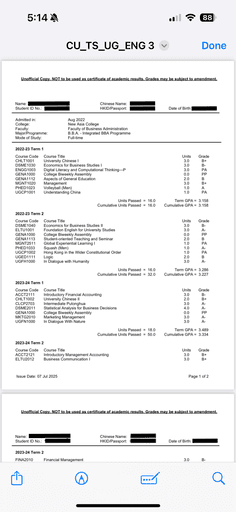
View Unofficial Transcripts
1
2
3
4
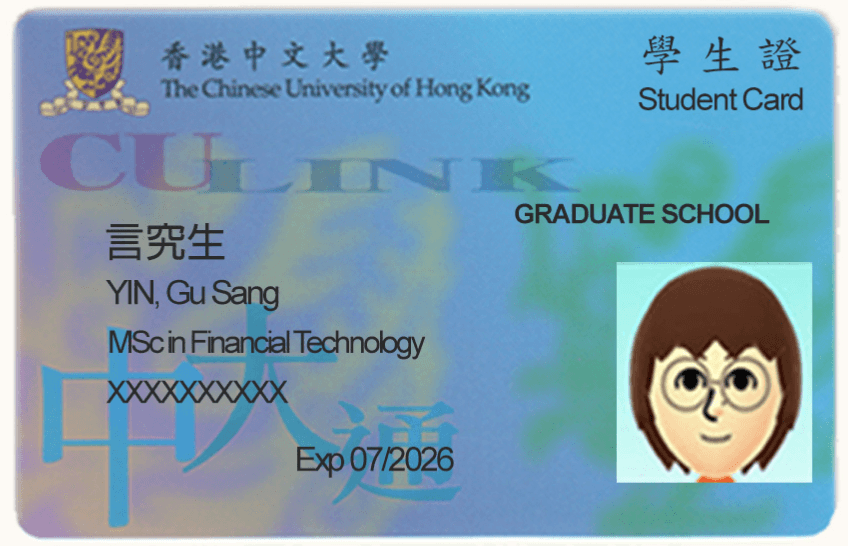
Physical Student ID
Check Academic Requirment Progress
1
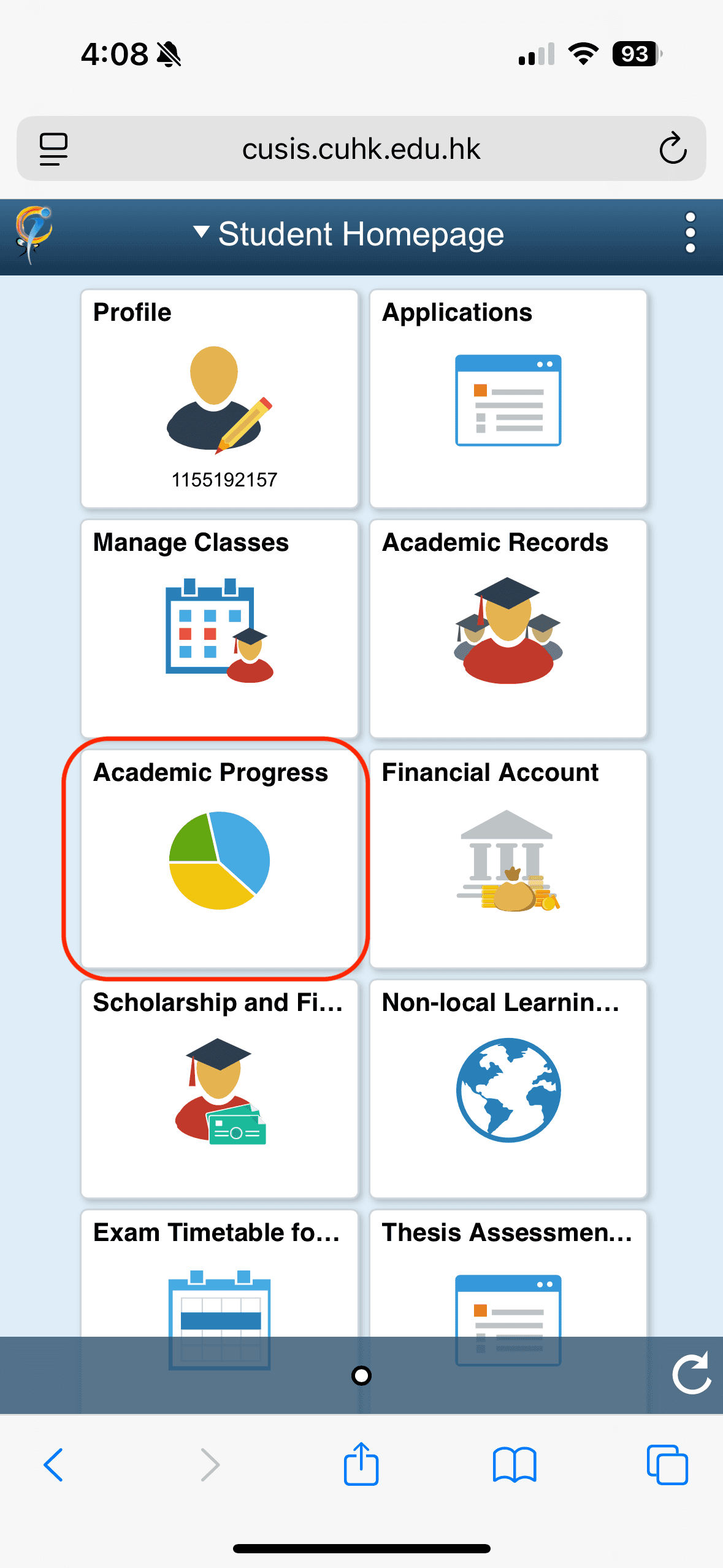
2
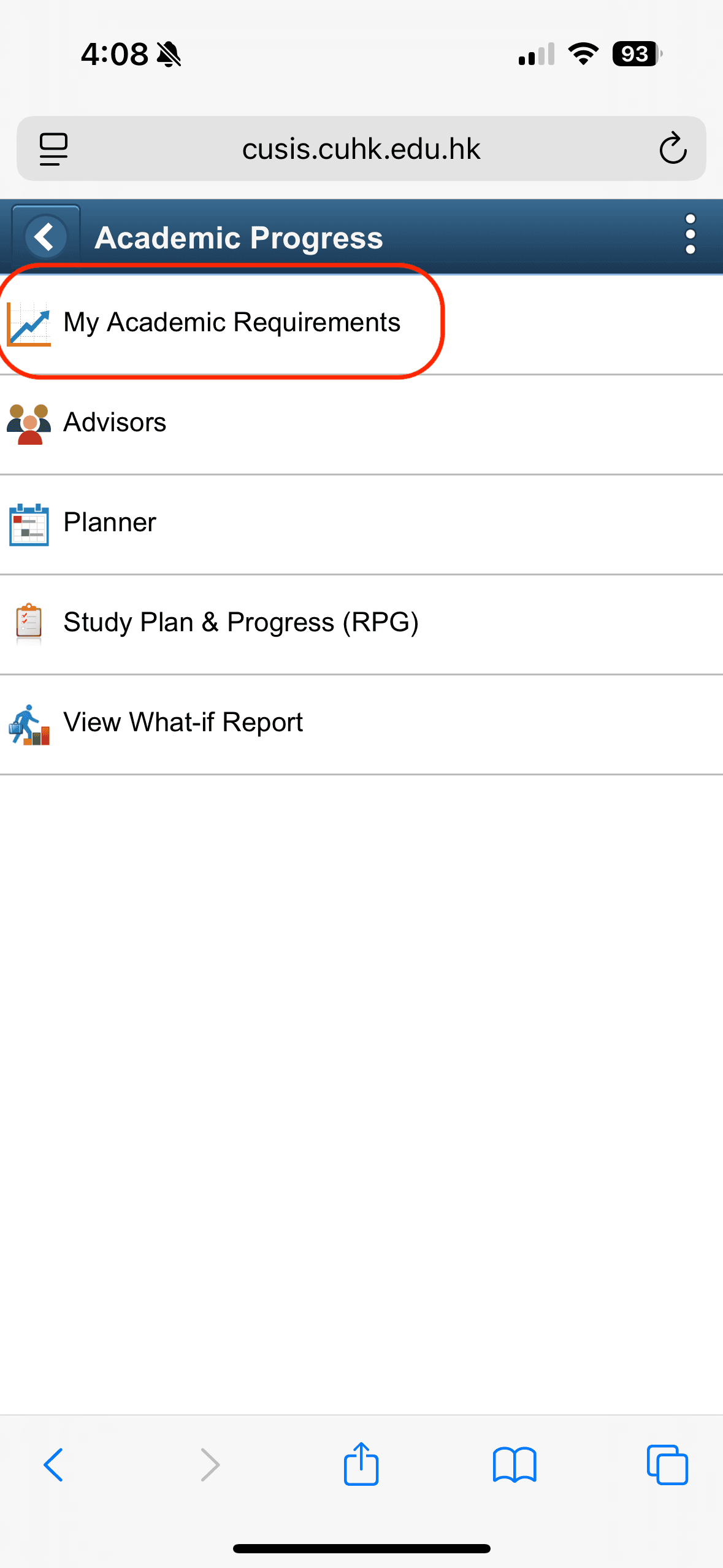
3
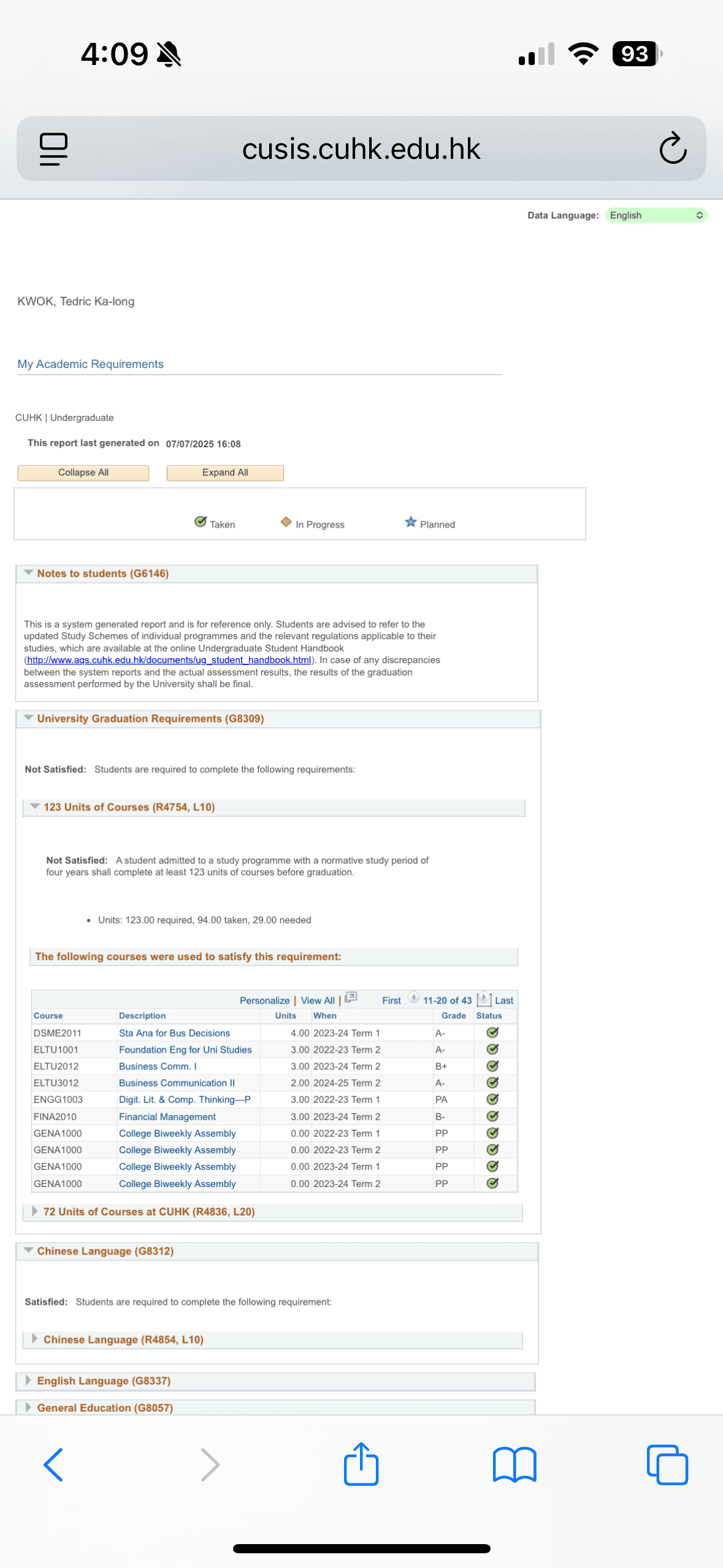
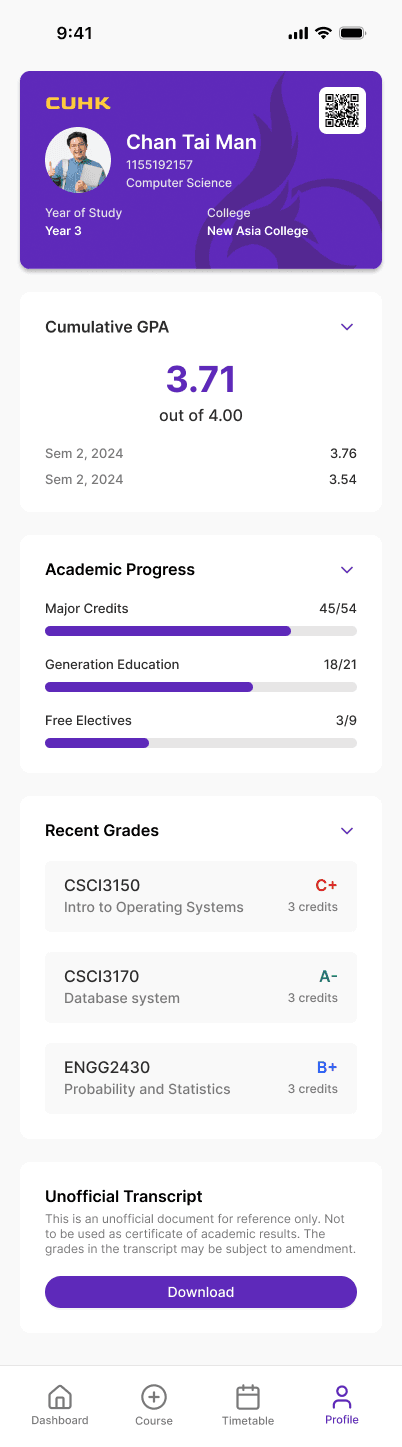
Profile (New Design)
Based on survey feedback, over 75% of students checked GPA/grades at least once a week, making this one of the most high-demand pages.
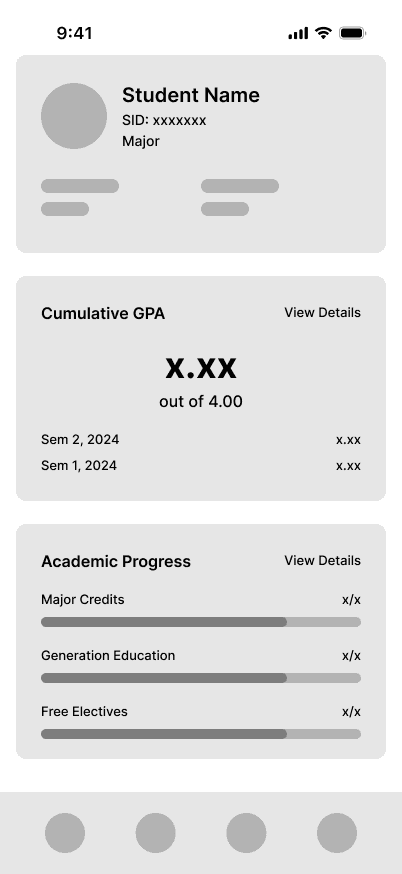
The redesigned page consolidates the most frequently accessed student information into a single, intuitive screen, reducing friction and saving time, this redesign reduces task time from ~2 minutes to under 15 seconds for core actions.
E-Student ID and Attendance QR Code:
Redesign to fit CUHK's colour and branding. Enables quick campus entry and attendance tracking without needing a physical student ID — solving a common frustration among students who forget their cards.
Academic Snapshot:
Displays GPA and recent grades at a glance, streamlining a process that previously required 3 separate steps on the original platform.
Academic Progress Tracker:
This allows students to clearly visualize their graduation progress through an intuitive, goal-oriented interface. In the new design, students can easily see the total credits, and credits breakdown by category they need before graduate with a progress bar.
By transforming complex and hidden tables into visual progress indicators, this feature empowers students to take control of their academic journey and make informed decisions anytime, anywhere.
Unofficial Transcript Download:
Easily download your latest transcript with 1 single tap, no longer buried in menus.
Results
To evaluate the effectiveness of the redesigned CUSIS mobile app, I conducted a System Usability Scale (SUS) test with 10 student testers using the high-fidelity prototype.
Average SUS Score (After Redesign): 83/100
Baseline SUS Score (Original System): 35/100
The usability score more than doubled, indicating a significant improvement in user satisfaction, efficiency, and perceived ease of use.